Course Price

ADD TO CART

MS-700: Managing Microsoft Teams

MS-700: Managing Microsoft Teams

The MS-700: Managing Microsoft Teams training course is a comprehensive, role-based training designed for IT professionals responsible for planning, deploying, and managing Microsoft Teams in a modern Microsoft 365 environment. As organizations increasingly rely on Teams as the central hub for collaboration and communication, skilled Teams administrators are critical to ensuring secure, reliable, and high-performance collaboration experiences. In this course, learners gain hands-on expertise in configuring and managing teams, channels, chat, meetings, apps, calling, live events, and Teams-certified devices. The training emphasizes real-world administration scenarios, covering governance, security, compliance, user access, and lifecycle management of Teams at scale.


This course MS-700: Managing Microsoft Teams prepares learners to confidently manage enterprise collaboration environments and succeed in the certification exam. It is ideal for professionals who want to strengthen their Teams administration skills, support business productivity, and validate their expertise with an industry-recognized Microsoft certification. By the end of this course, learners will learn how to:


  • Plan and configure a Microsoft Teams environment
  • Deploy and manage Teams collaboration workloads
  • Implement governance, security, and compliance controls
  • Integrate Microsoft Teams with Microsoft 365 services
  • Monitor, troubleshoot, and optimize Teams performance and user experience
Advance Your Skills with Flexmind (Microsoft Partner)

Who should attend MS-700: Managing Microsoft Teams course ?

Professionals Icon

For Professionals

The MS-700 course is ideal for professionals who are responsible for deploying, managing, or supporting Microsoft Teams in an organization, including Microsoft Teams Administrators, Microsoft 365 / Office 365 Administrators, IT Administrators and System Administrators, Unified Communications (UC) Engineers, Collaboration & Messaging Administrators, Helpdesk and Support Engineers supporting Teams, IT Professionals preparing for the MS-700 certification

Businesses Icon

For Businesses

Organizations should nominate employees for the MS-700 course if they are responsible for ensuring secure, reliable, and scalable collaboration using Microsoft Teams.

Prerequisites for the "MS-700: Managing Microsoft Teams" Certification Course

Before attending this course, students should have:


  • A proficient understanding of basic functional experience with Microsoft 365 services.
  • A proficient understanding of general IT practices, including using PowerShell.

Key Features of Flexmind MS-700 Training

This training is delivered by Flexmind through flexible online and offline formats and is designed to align with the most current certification exam requirements. The key features of this training are as follows:

4 Day · 32 Hours
Microsoft Certified Trainer
Official Courseware
Courseware Life Time Free Upgrade
Applied Workshop

Course Duration

The course has a total duration of 32 hours and is completed over 4 days.

Instructor-Led Training

Delivered by a senior Microsoft Certified Trainer with real-world, enterprise-scale experience in Microsoft Teams Deployment and Administration.

Microsoft Official Courseware

Delivered by Flexmind using official Microsoft courseware, this program blends study material, hands-on labs, and applied workshops with instructor-led guidance throughout.

Applied Workshop

The final-day applied workshop allows learners to practice their skills by selecting a scenario and building a complete solution, including any required automation.

Course Completion Certificate


Course completion includes certification, formally validating the skills gained and reinforcing professional credibility.

Course Outline

Module 1: Explore Microsoft Teams

  • Core Microsoft Teams workloads: chat, meetings, calling, collaboration, apps
  • Microsoft Teams architecture and dependent Microsoft 365 services
  • Teams integration with SharePoint, OneDrive, and Exchange
  • Teams security and compliance capabilities
  • Microsoft Teams certified solutions and devices

Module 2: Plan and deploy Microsoft Teams

  • Microsoft Teams admin roles and responsibilities
  • Teams management tools: Admin Center, PowerShell, and Microsoft Graph
  • Planning Teams rollout and user adoption strategy
  • Teams licensing models and add-on licenses
  • Deploying Teams desktop, mobile, web, and VDI clients

Module 3: Implement lifecycle management and governance for Microsoft Teams

  • Microsoft 365 Groups lifecycle concepts for Teams
  • Teams governance planning and policy design
  • Group creation, naming, expiration, and retention policies
  • Policy assignment using policy packages and templates
  • Creating and managing Teams templates and template policies
``

Module 4: Monitor your Microsoft Teams environment

  • Monitoring Teams usage and activity reports
  • Microsoft 365 usage analytics and reporting
  • Azure AD access reviews for Teams and Microsoft 365 Groups
  • Network readiness and Microsoft 365 connectivity dashboard
  • Configuring Teams alerts, notifications, and feedback policies
  • Lab - Manage Microsoft Teams

Module 5: Manage access for external users

  • Azure Active Directory features and external identity concepts
  • External access vs guest access in Microsoft Teams
  • External collaboration using Azure AD B2B
  • Managing external collaboration in Microsoft 365
  • Controlling file sharing with SharePoint and OneDrive

Module 6: Implement security for Microsoft Teams

  • Conditional Access and MFA configuration for Teams
  • Safe Attachments protection for Teams, SharePoint, and OneDrive
  • Safe Links protection for Teams conversations
  • Microsoft Defender for Cloud Apps capabilities
  • Monitoring security and threat reports for Teams
  • End‑to‑end encryption policies for Teams calls

Module 7: Implement compliance for Microsoft Teams

  • Sensitivity labels for Teams, Microsoft 365 Groups, and SharePoint
  • Retention policies for Teams chats and channel messages
  • Data Loss Prevention (DLP) policies for Teams
  • Communication compliance policies and review workflows
  • Scoped directory search and information barrier policies
  • Security and compliance alert configuration for Teams

Module 8: Plan and configure network settings for Microsoft Teams

  • Evaluating network readiness for Microsoft Teams
  • Microsoft Teams network requirements and traffic types
  • Network ports, protocols, and firewall considerations
  • Quality of Service (QoS) for voice and video optimization
  • Network Planner and bandwidth planning for Teams
  • Network topology, roaming policies, and reporting labels
  • Lab - Prepare the environment for a Microsoft Teams deployment

Module 9: Create and manage teams

  • Creating teams using Teams admin center, Teams client, PowerShell, and Microsoft Graph
  • Creating teams from existing Microsoft 365 groups and SharePoint team sites
  • Planning and creating org-wide teams
  • Managing teams using Teams admin center and PowerShell
  • Managing users, roles, and permissions in a team
  • Configuring dynamic membership for Microsoft Teams
  • Archiving, restoring, and deleting Microsoft Teams

Module 10: Manage collaboration experiences for chat and channels

  • Creating and managing standard, private, and shared channels
  • Managing Teams policies for channels at org and team levels
  • Configuring Teams settings including notifications, tagging, email integration, and file storage
  • Creating and managing messaging policies in Microsoft Teams
  • Managing channel moderation for controlled conversations
  • Managing access to channels using policies, permissions, and sensitivity labels

Module 11: Manage apps for Microsoft Teams

  • Understanding Microsoft, third-party, and custom Teams apps
  • Exploring app types including tabs, bots, connectors, and messaging extensions
  • Managing Teams app settings and tenant app catalog
  • Creating and managing app permission policies
  • Creating and managing app setup policies
  • Managing custom app uploads and publishing apps to the organization
  • Managing permissions, consent, and certification for Teams apps
  • Lab - Manage teams, collaboration and app settings for Teams

Module 12: Introduction to Teams meetings and calling

  • Understanding Microsoft Teams meeting types
  • Overview of Teams meetings, webinars, and town halls
  • Overview of Teams Phone capabilities
  • Introduction to Auto Attendants and Call Queues
  • Overview of Microsoft Teams devices

Module 13: Manage meetings and events experiences

  • Configure Microsoft Teams meeting and event settings
  • Manage meeting and event policies
  • Manage meeting templates and template policies
  • Manage meeting customization and branding
  • Configure recording, transcription, and intelligent recap

Module 14: Plan for Microsoft Teams Rooms and Surface Hub

  • Determine Microsoft Teams Rooms licensing requirements
  • Understand Teams Rooms for Windows and Android
  • Plan Microsoft Surface Hub usage
  • Plan Teams Rooms accessories and peripherals
  • Manage Teams Rooms using Teams Admin Center

Module 15: Configure, Deploy, and Manage Teams Devices

  • Manage Microsoft Teams Phones
  • Manage Microsoft Teams Rooms devices
  • Configure SIP Gateway for Teams devices
  • Remotely provision and sign in Teams devices
  • Update and manage Teams devices remotely

Module 16: Plan for Teams Phone

  • Plan Teams Phone usage scenarios
  • Determine Teams Phone licensing requirements
  • Plan Teams Phone devices and endpoints
  • Design Teams Phone features and call flows

Module 17: Configure Teams Phone

  • Configure emergency calling
  • Manage Microsoft PSTN numbers
  • Configure Operator Connect and Direct Routing
  • Configure Teams Phone policies

Module 18: Configure and Manage Voice Users

  • Enable users for Teams Phone
  • Configure users for Direct Routing
  • Enable Teams Phone Mobile
  • Configure advanced calling features

Module 19: Configure Auto Attendants and Call Queue

  • Design Auto Attendant and Call Queue call flows
  • Configure Auto Attendants
  • Configure Call Queues and routing methods
  • Configure holidays and custom music on hold

Module 20: Troubleshot Audio, Video and Client Issues

  • Use Teams troubleshooting and diagnostics tools
  • Analyze call quality using Call Analytics
  • Analyze network-wide issues using Call Quality Dashboard
  • Troubleshoot Direct Routing issues
  • Lab - Manage Teams Meetings and Calling Experiences
Class Schedule

Instructor‑Led Training

  • 32 Hours of Instructor‑Led Training
  • One‑to‑one doubt‑resolution sessions
  • Microsoft Official Lab Access

Learning Objectives

After completing the MS-700 course, learners will be able to:


  • Plan, deploy, and manage Microsoft Teams to support secure, scalable enterprise collaboration.
  • Configure Teams governance, policies, and security controls for meetings, messaging, apps, and external access.
  • Manage Teams meetings, webinars, town halls, and calling experiences, including voice and audio conferencing.
  • Deploy and administer Teams devices such as Teams Rooms, phones, and peripherals using the Teams Admin Center.
  • Configure Teams Phone, Auto Attendants, and Call Queues to support enterprise voice and telephony requirements.
  • Monitor, troubleshoot, and optimize Teams performance and call quality using analytics and diagnostic tools.

About MS-700 Certification Exam


To help you understand the assessment better, here are a few important details about the exam.


Exam Name MS-700: Managing Microsoft Teams
Who should Apply Administrator
Duration of Exam 100 Minutes
Fees Rs. 4,865 (India), $165 USD (United States)
Level of Difficulty Intermediate
Type of Credential Microsoft Certification
Languages English, Japanese, Chinese (Simplified), German, French, Spanish, Portuguese (Brazil), Arabic (Saudi Arabia)
Exam Retake Exam retake allowed after 24 hours
Quality Check during Assessment The online exam is proctored

The table below represents the weightage of each study area in the exam. Areas with higher percentages are expected to have more questions.

Study Area Percentage
Configure and manage a Teams environment 40-45%
Manage teams, channels, chats, and apps 20-25%
Manage meetings and calling 15-20%
Monitor, report on, and troubleshoot Teams 15-20%
Reviews

FAQs for MS-700: Managing Microsoft Teams Learners

The MS‑700 course is designed to help IT professionals plan, deploy, configure, manage, and troubleshoot Microsoft Teams in an enterprise Microsoft 365 environment. It focuses on collaboration, meetings, calling, governance, security, Teams devices, and operational management aligned with the Microsoft Teams Administrator role.

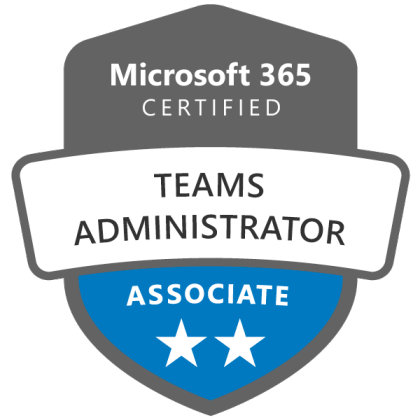
This course is ideal for Microsoft Teams Administrators, Microsoft 365 Administrators, IT Administrators, Unified Communications professionals, and support engineers who manage or support Teams workloads and are preparing for the Microsoft 365 Certified: Teams Administrator Associate certification.

By completing this course, learners will gain hands‑on skills in configuring Teams governance and policies, managing chat, channels, apps, meetings, webinars, calling, Teams Phone, Teams devices, and troubleshooting audio, video, and client issues using Microsoft Teams admin tools.

Yes. This training is fully aligned with the official MS‑700 exam skills measured, including planning and configuring Teams, managing collaboration and communication experiences, managing meetings and calling, and monitoring and troubleshooting Microsoft Teams environments.

Learners should have a basic understanding of Microsoft 365 services such as Azure AD (Microsoft Entra ID), Exchange Online, SharePoint Online, and general IT administration concepts. Prior hands‑on experience with Microsoft Teams is recommended but not mandatory.

This is a 4‑day instructor‑led training program, following the official Microsoft MS‑700T00 course structure, combining theory, demonstrations, and hands‑on labs.

The MS‑700 course at Flexmind is delivered by a senior Microsoft Certified Trainer (MCT) with real‑world, enterprise‑level experience in deploying and managing Microsoft Teams across organizations

Yes. The course includes practical labs and real‑world administrative scenarios covering Teams configuration, policies, meetings, calling, devices, and troubleshooting, helping learners apply concepts in enterprise environments.

Absolutely. While the course prepares learners for the MS‑700 certification exam, it is equally focused on real‑world operational tasks such as governance planning, managing Teams at scale, resolving call quality issues, and supporting business collaboration requirements.

Upon successfully passing the MS‑700 exam after this training, learners earn the Microsoft 365 Certified: Teams Administrator Associate certification, validating their expertise in managing Microsoft Teams environments.
Related Courses