Hey there !! Today we will see how we can use the external approval list in PowerApps. We will create an external SharePoint custom list to store the approvers. Sometimes we get a requirement where we need to hide or show a button on a user basis. Let’s create our application External Approval List in PowerApps.
Create a SharePoint External Approval List
In order to store the approvers, we will create a custom list. As you can see from the below picture, I have created two columns, Approver Group and Group Members. In the below example, I have renamed the Title column to the Approver Group. And created person data type, Group Members column in which multi-selection is enabled.
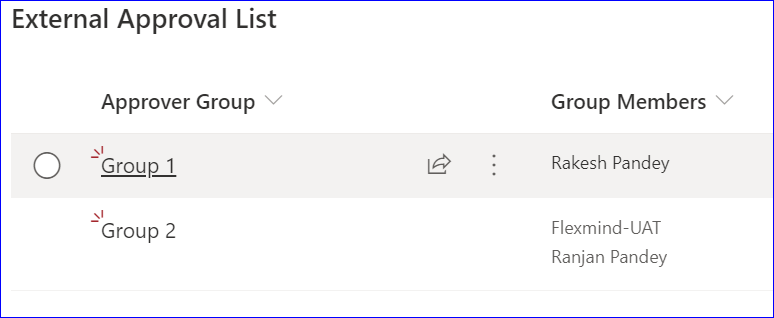
Now we will set the visibility of a button, based on current user is part of a particular group.
Set Visibility in PowerApps
To show the button visibility, I will use the old example of notification tool. Refer this link to see how I have created the notification tool.
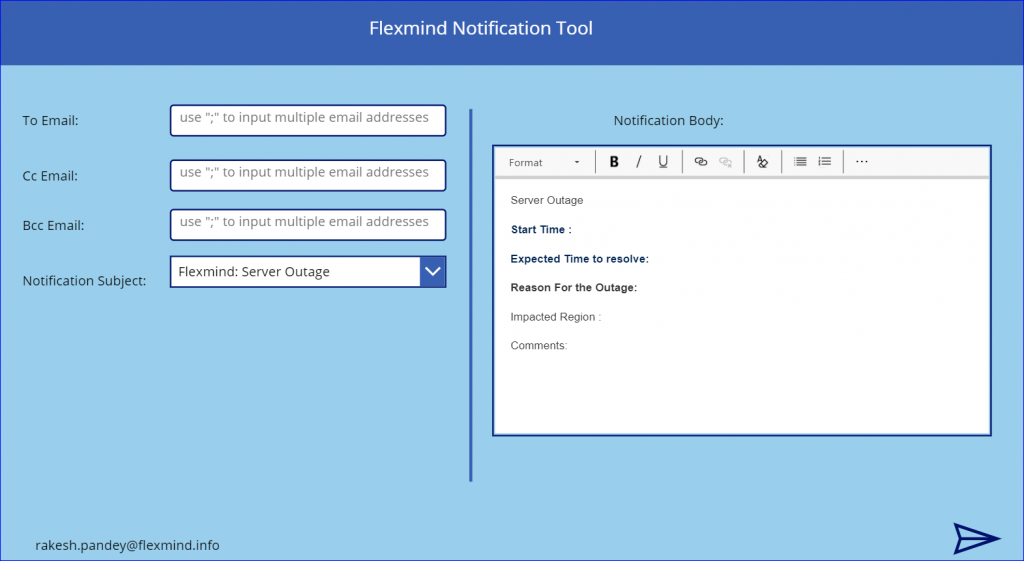
The above screen is the main screen of the notification tool. In this tool, we will set the visibility of the send icon. If the current user is a member of Group 1, then the user will be able to see the icon. I have added a label to show the group members separated by a comma.
Formula Details
First thing, we will create a data connection to the custom list. Write below formula for the Text of the label. Refer to this link for details on the Concat function.
Concat(LookUp('External Approval List',Title="Group 1").'Group Members'.Email,Email,",")
Write below formula on the Visible property of the send icon. Below formula, basically finds current user’s email in the label’s text.
If(!IsBlank(Find(User().Email,Label3.Text)),true,false)
if you want, you can hide the label. Simply, set the visibility of the label to false. I am using the label to store the group members of a particular group.
After completing the above steps, you can test your application and comment on whether it’s working or not. 🙂
Hope this article on External Approval List in PowerApps will help you, if you like it please share and subscribe to our site for more articles.